MatManager
A management app for BJJ academies. The test build connects member and family profiles, class schedules, check-ins, coach rosters, and owner reports.
The problem
I had trouble finding gym software that felt at home in a BJJ academy. Much of what I looked at was built around karate or other schools, and I found the interfaces awkward for the work I needed to do.
I wanted something with the feel of a mobile app that would still be comfortable to use at a desktop. A coach should be able to find the next class and its roster quickly. A parent should be able to pick the right child and check them in from one account.
Audience
For academy owners and front-desk staff, coaches running classes, and members or parents checking in.
My contribution
I researched academy operations and other products, defined what each role needed to see, and planned the flows I wanted to use myself. I directed the work in development packs with a clear piece of functionality and acceptance criteria for each milestone.
I use hands-on testing to see whether the pieces fit together. Adding a family, finding the child’s class, and seeing the check-in on the roster tells me more about the experience than reviewing any one screen by itself.
Decisions
- I kept the account separate from the training profile. A guardian can sign in once and choose between children, while each person keeps their own attendance and rank history.
- I wanted old attendance to keep its meaning after a schedule edit. The app records the class as it was scheduled for that date, so changing next week’s classes leaves earlier records intact.
Workflow
Set up an adult or family
In the test build, staff can create an adult or family record, and an owner or admin can assign a membership plan. There are places to record signed waivers and track belt promotions so those details stay with the person.
Publish a schedule and run a class
An owner edits the weekly schedule and can close dates for holidays. Members and guardians see the classes for the selected profile and can check in for an eligible class. Coaches open the class roster, and staff can handle a check-in that needs their help.
See what happened
The owner can compare attendance by day or class and prepare a CSV for a chosen date range. That makes it possible to trace the result of a check-in from the member’s screen through the roster and into a report.
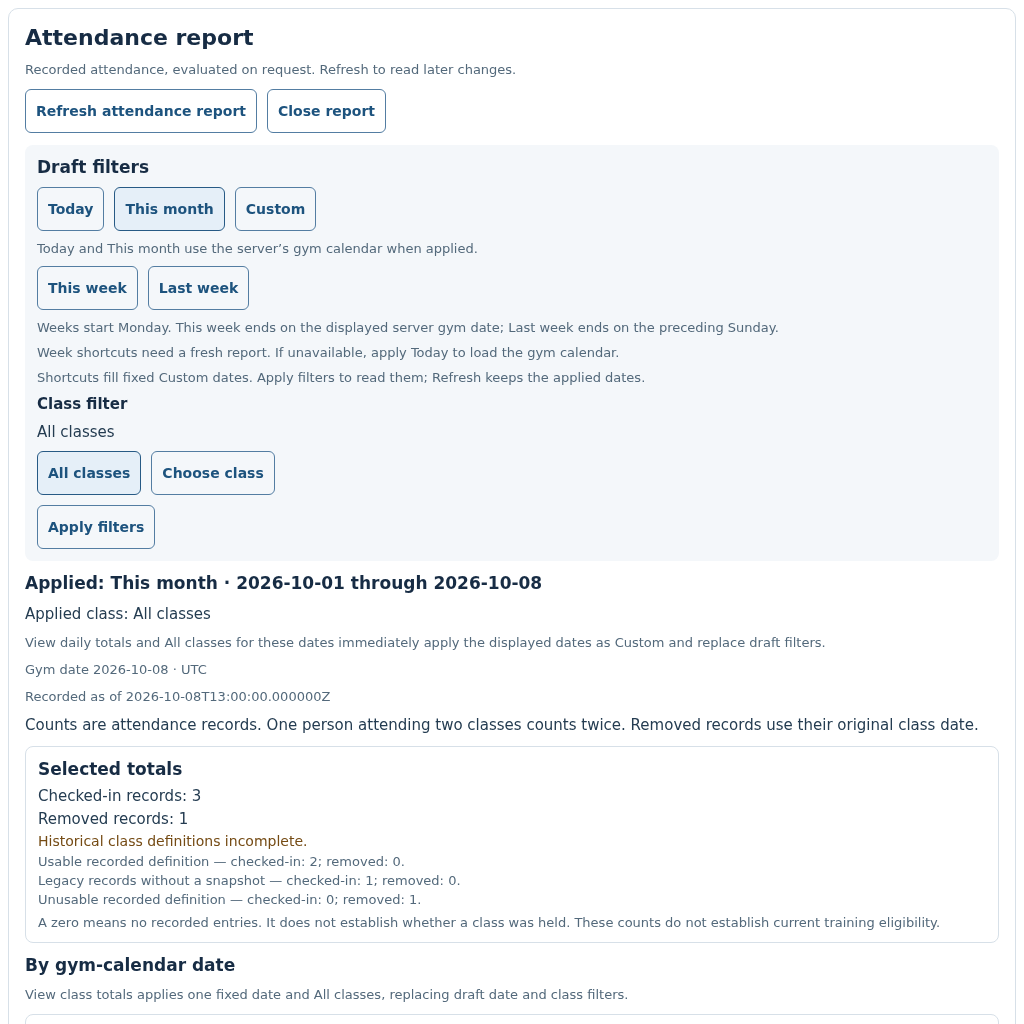
Open screenshot at full size
Implementation
- The test build gives the owner, coach, and member different views around their work. A coach can look up the class and attendance. Owners and admins have the member records and reporting tools.
- The product design also covers recurring Stripe billing and payment updates. Local work includes plan assignment and billing screens. I’m treating the full payment workflow as part of development.
Outcome
I have an application I can test as an academy workflow, from setting up a family to seeing its attendance in a report. Working in development packs gave me a way to test a sequence of related tasks and revise the screens when the flow felt awkward.
Current scope
I’m debugging the app and improving the experience before using it in production.
Source reviewed