BWS Planner
I use BWS Planner to turn website inquiries and interview notes into a clear scope and build pack. It keeps the decisions for each studio demo in one place.
The problem
When I plan a website, the first inquiry tells me only part of what I need. I still have to work out who the site is for, what visitors should be able to do, and what belongs in the first release. I wanted a way to carry those answers from the first conversation to the build without hunting through notes and old chats.
I made the planner for my own web studio. Planning mock sites gives me a way to show prospective clients the kind of work I can produce and gives me examples I can adapt for future projects.
My contribution
I designed the interview to start with the questions that tell me whether the project is a good fit. Once I know that, it makes sense to get into the details of the pages, the visitor’s next step, and what the client expects.
I walked through the app with a made-up client and found screens where I couldn’t tell what I was supposed to do next. I worked through those screens one at a time. I wanted each step to tell me what I needed to decide, what to do next, and what I could come back to later.
Decisions
- I move information and AI responses between tools by hand. That lets me see where a step is confusing and work out which tool or input caused a problem before connecting the tools directly.
- I kept Astro and SQLite for a straightforward local planning app. The information lives with the project, so I can reuse it for the next prompt without relying on the previous chat.
Workflow
Start with the inquiry
I copy the inquiry details from my studio’s lead workspace or enter them myself. The planner shows what it found and lets me choose which values to keep. I use the interview guide to work through fit, audience, scope, and the questions that are still open.
Turn the interview into reviewed scope
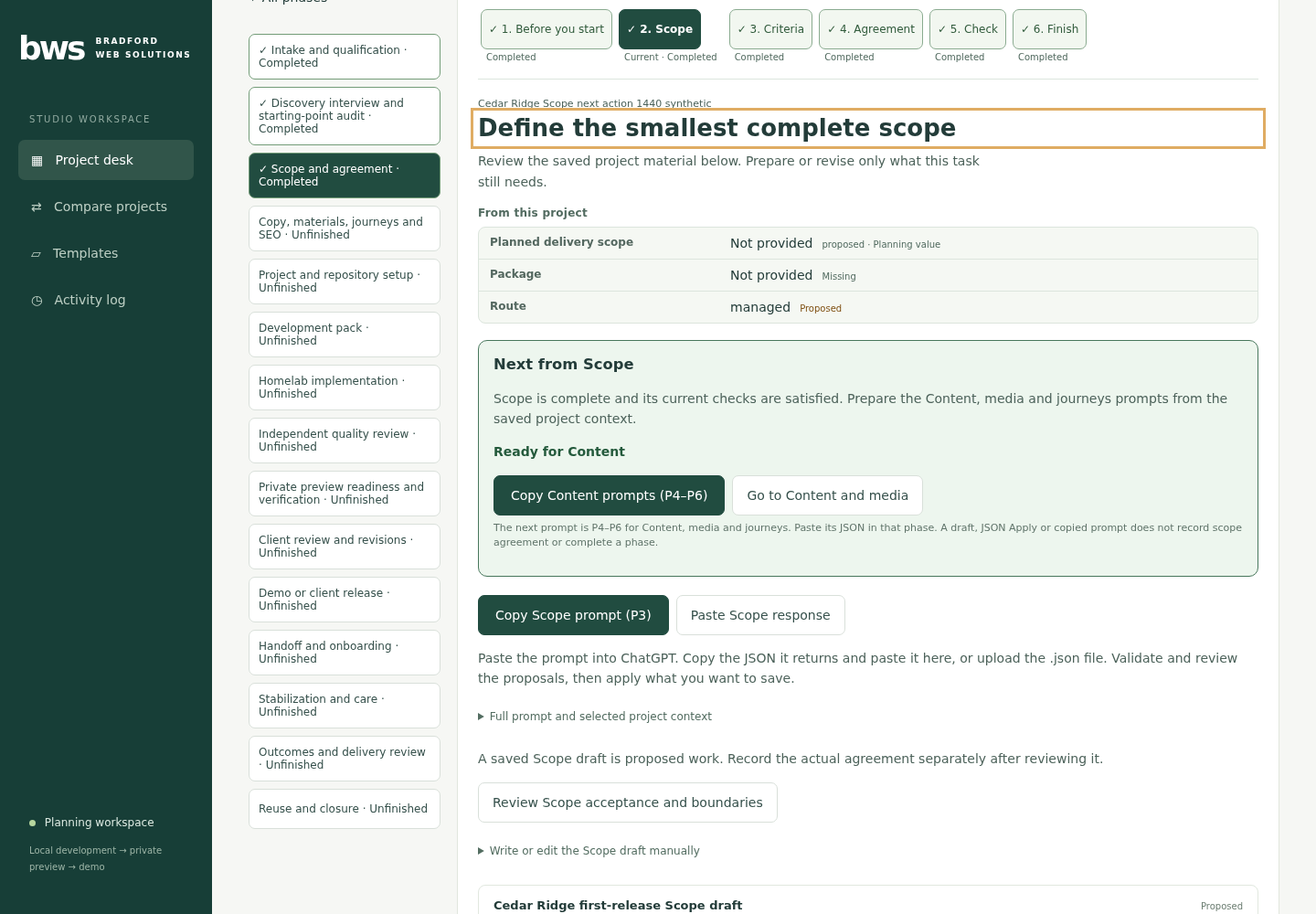
I save the transcript and use a prepared prompt to turn it into structured JSON. On import I compare the proposed answers with what I already know, choose what to apply, and follow up on anything missing. Then I review what goes into the scope and record which version I agreed to.
Open screenshot at full size
Take the build pack into development
With the scope and page requirements in place, I export a build pack with the brief, page content, and implementation instructions. I use it to direct Codex on my Debian homelab. From there I can check a private preview, deploy through Coolify, or prepare a handoff if the client wants to host the site.
Implementation
- The planner ties each structured AI response to the project and the version of the information it came from. If I’ve edited the project since copying the prompt, it asks me to compare the response with the latest values before applying it.
- Scope agreement belongs to a specific saved version. I can compare another draft without changing what goes into the next prompt or build pack. If I change the scope, I review the new version before using it.
Outcome
I now have a repeatable way to plan studio demos and prepare build packs I can use again. When I return to a project, I can see what I decided, what still needs an answer, and what the next build should include.
Current scope
The planner gives me the steps and materials to do the work. I’m planning a direct Codex connection once the manual workflow is clear enough to automate.
Source reviewed